
Getting started
Go to the url you used for your ramadan campaign or create a new campaigns site.
Creating the Eid campaign
Step 1
Navigate to your landing page.
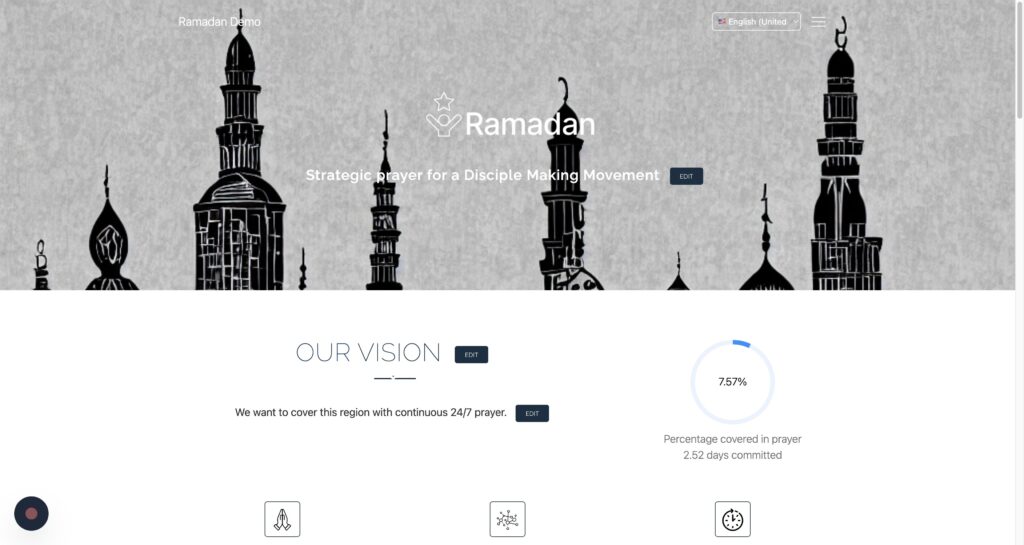
Step 2
Click “Campaign Settings”
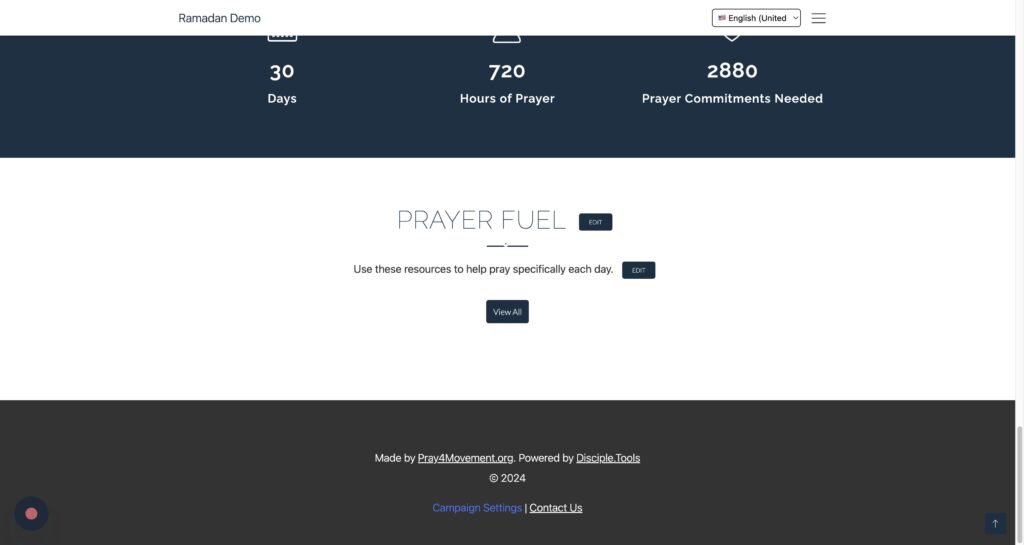
Step 3
Click “Create a New Campaign”
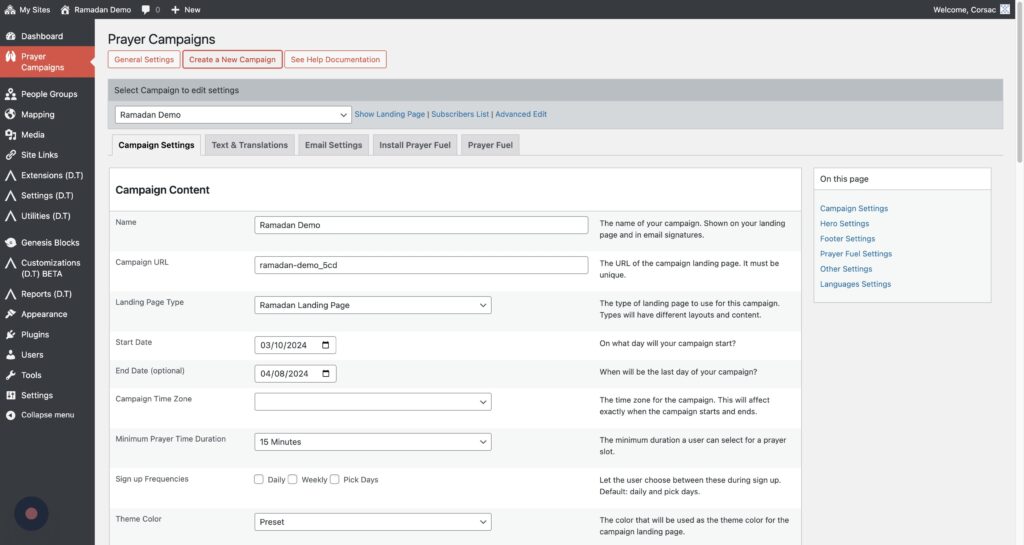
Step 4
Type the campaign name (Aid al Ada)
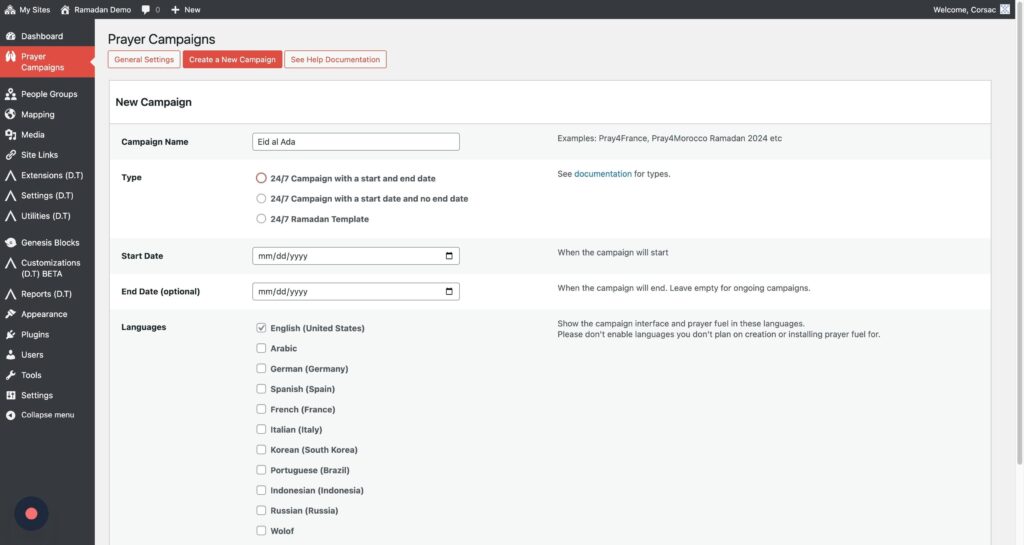
Step 5
TClick the “24/7 Campaign with a start and end date” field.
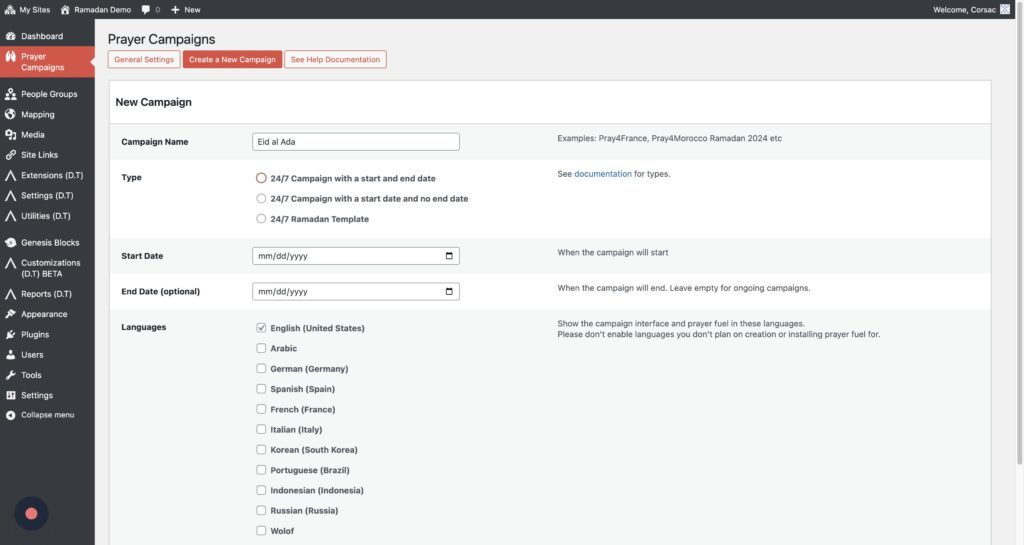
Step 6
Click the “Start Date” field.
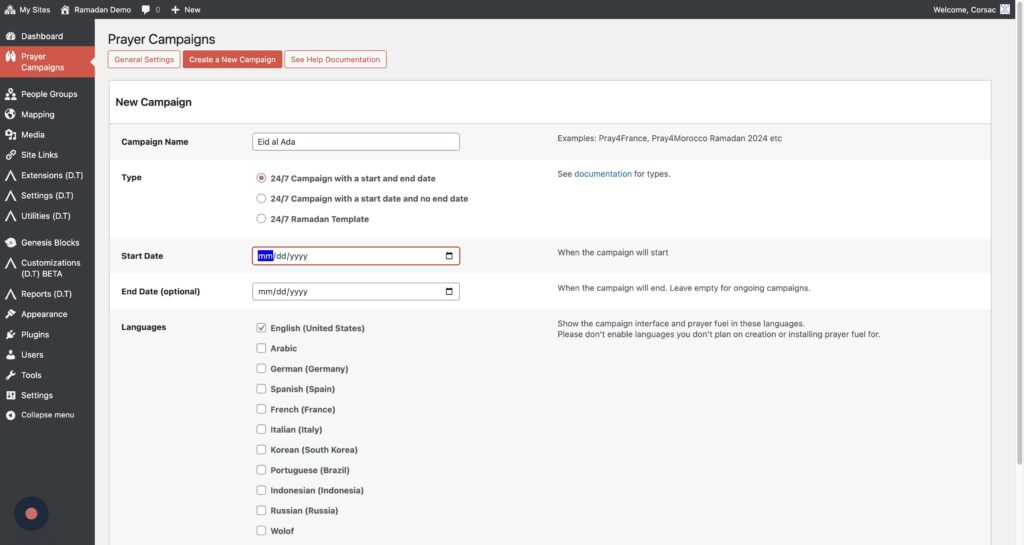
Step 7
Enter in the start date and the end date
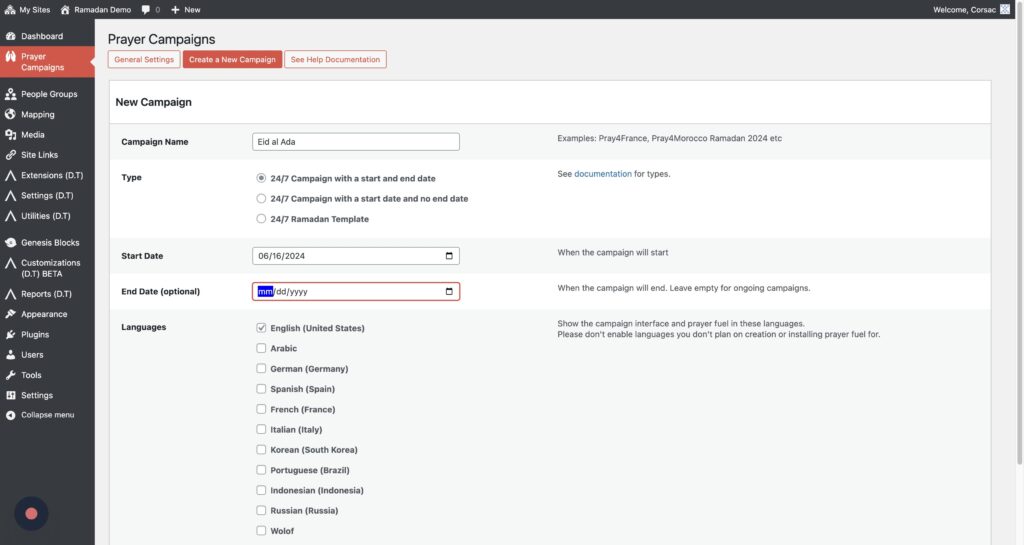
Step 8
Click “Create Campaign”
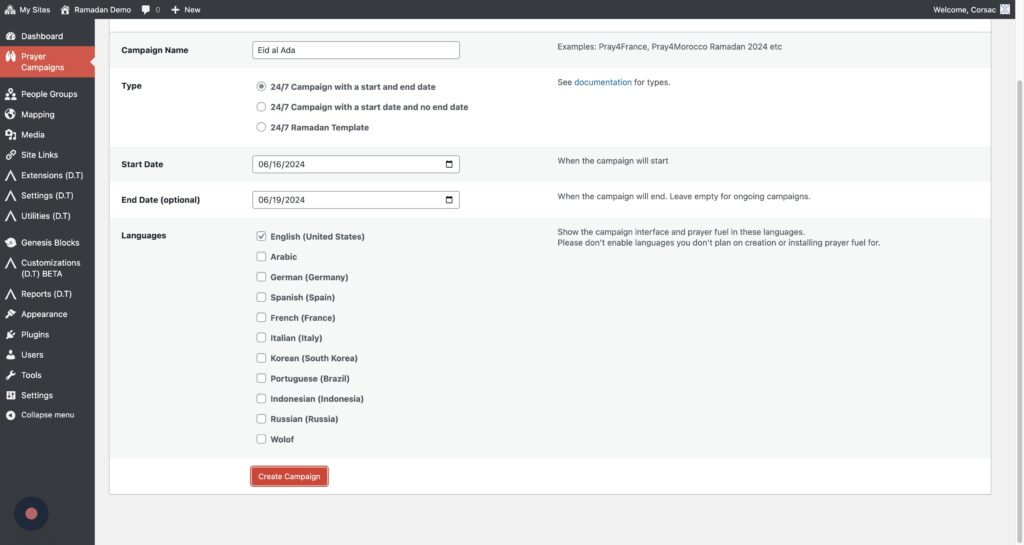
Install the Eid Prayer Fuel
Download the prayer fuel: Eid Prayer Fuel
Step 1
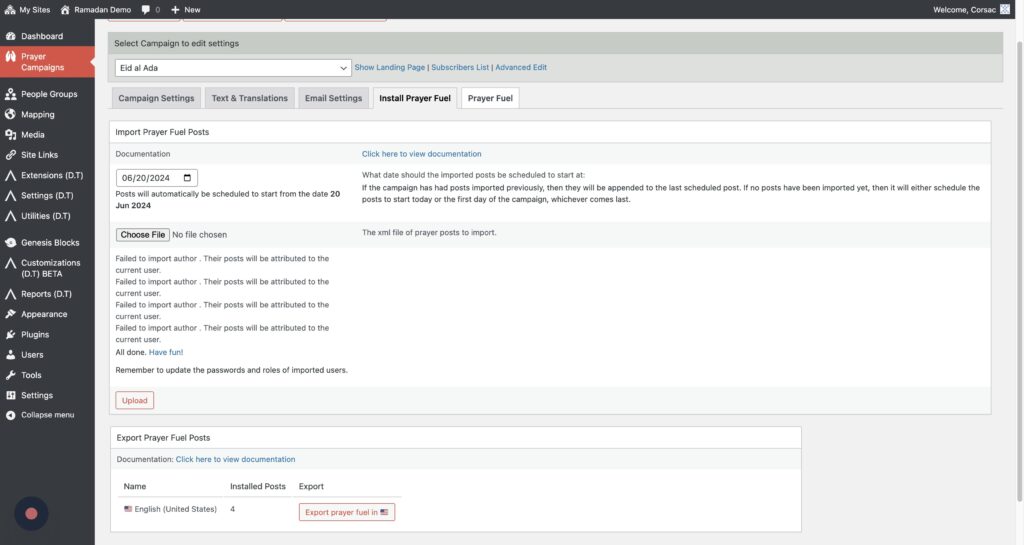
Click the “Install Prayer Fuel” tab
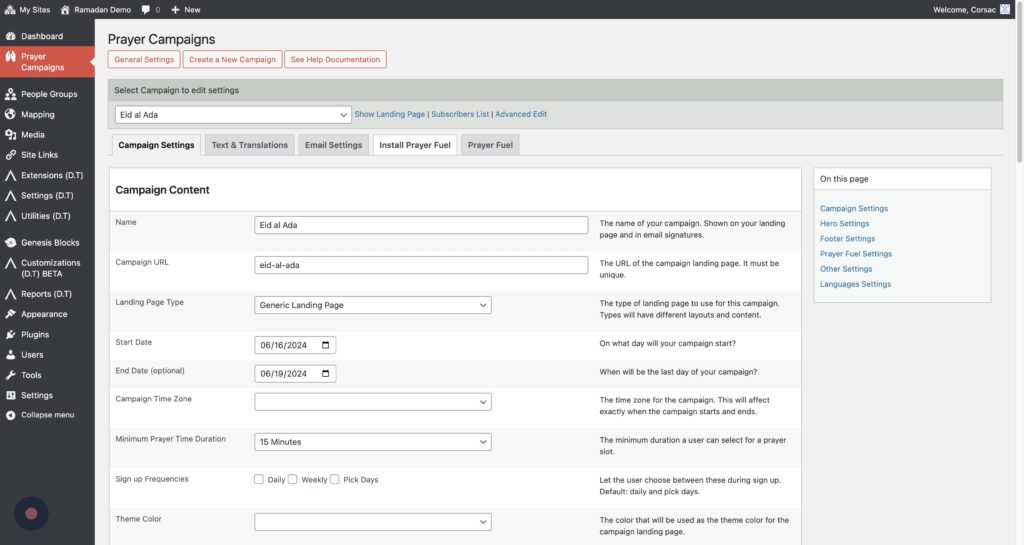
Step 2
Click the Choose File button
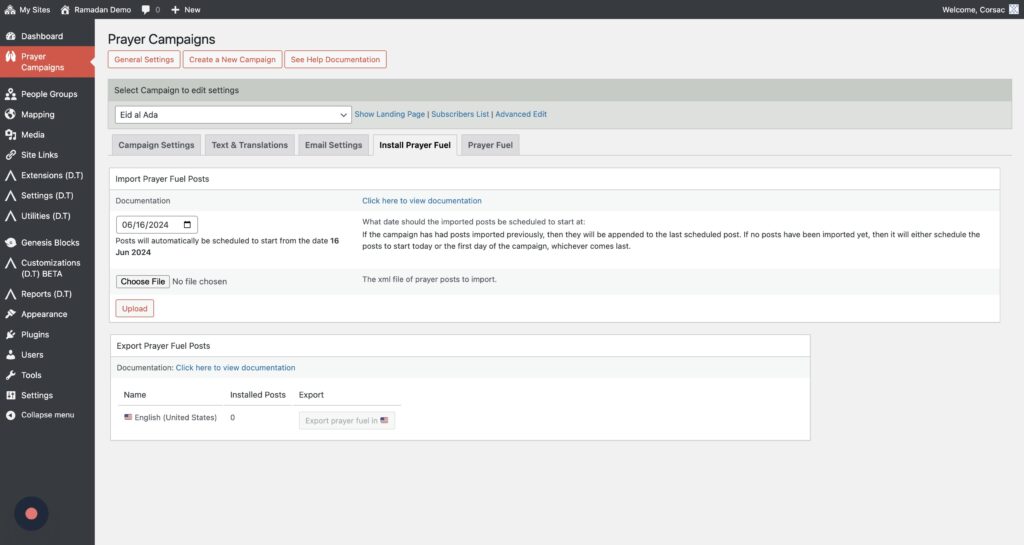
Step 3
Select the prayer fuel xml file
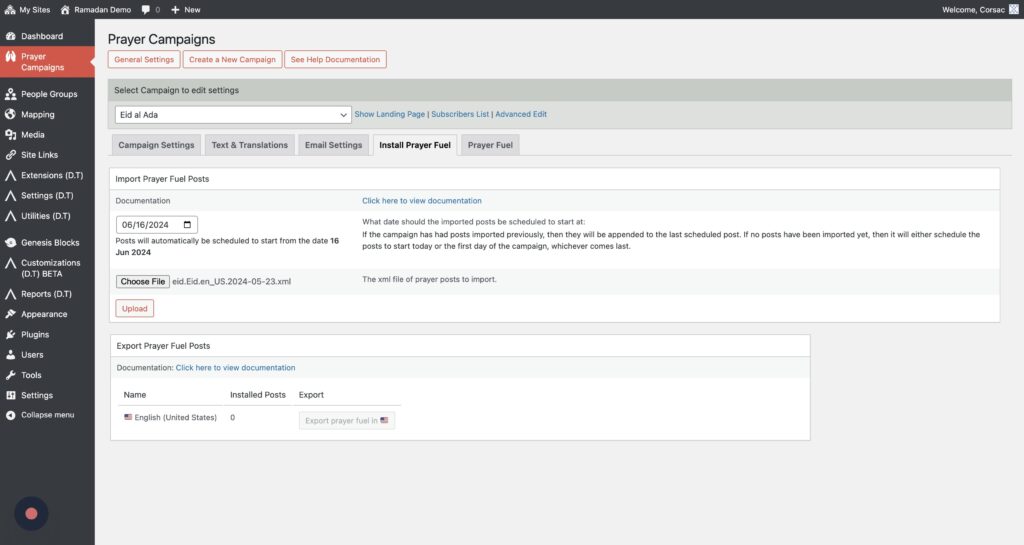
Step 4
Click “Upload”
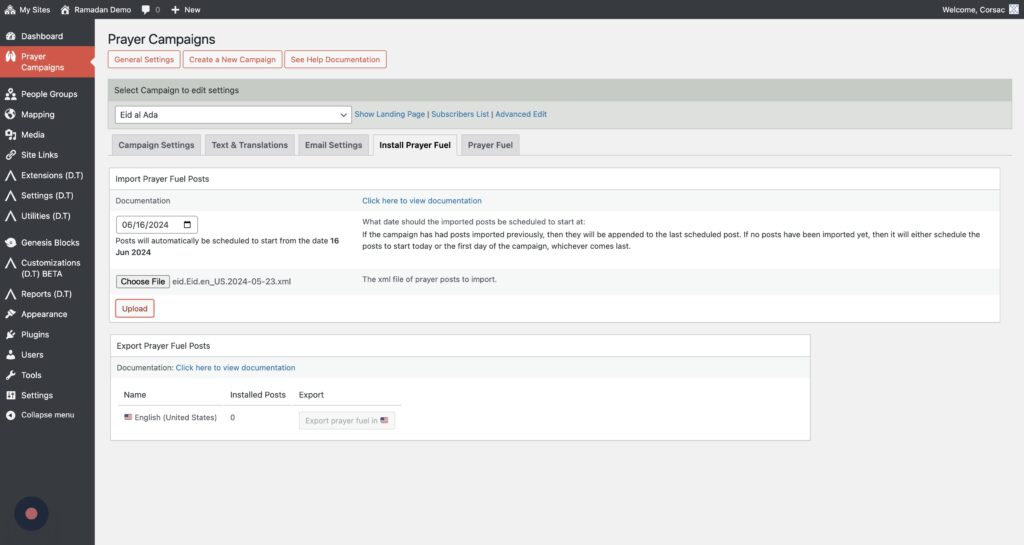
Step 5
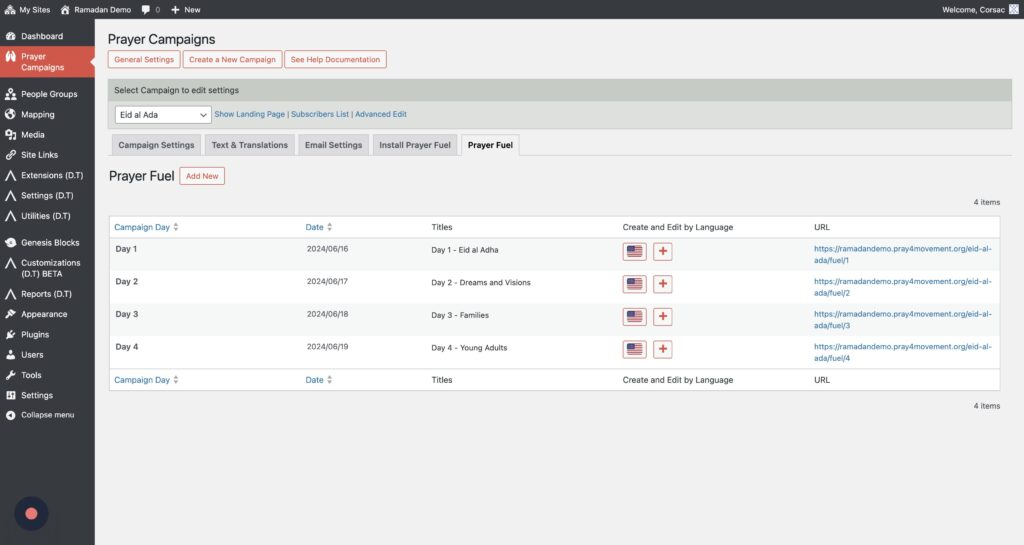
Now go to the “Prayer Fuel” tab
Step 6
Here you can see the installed prayer fuel and edit each one by clicking on the flag.
Community
Questions or comments? Ask on the Prayer.Tools Forum.